
Download PTFB Pro – mouse click recorder, automation tool, time-saving utility, Windows utility, repetitive task automation, software automation, click automation, productivity app, mouse automation, Windows automation
Overview
PTFB Pro is a lightweight, time-saving utility designed for Windows users seeking to automate repetitive mouse interactions. The app enables users to record mouse clicks on any interface element—buttons, menus, dialog boxes—and replay these actions with a single command. This functionality is particularly useful for streamlining workflows that involve repeated manual input, such as confirming alerts, navigating through welcome screens, or launching specific software sequences. By reducing the need for manual clicking, PTFB Pro enhances efficiency and minimizes user fatigue during long or monotonous tasks.
Target users include professionals, power users, and anyone managing routine digital interactions across multiple applications. The app is especially beneficial in environments where consistency and speed are critical, such as data entry, system administration, or software testing. While the developer, PTFB, has not provided extensive background details, the app’s long-standing presence since 2009 suggests a focus on reliability and niche utility. Its minimal file size of 1.4 MB further underscores its lightweight nature, making it suitable for older or low-resource systems.
PTFB Pro fits into the broader productivity ecosystem by offering a simple yet effective automation layer for tasks that standard automation tools may overcomplicate. It fills a specific gap in the market: mouse-driven automation without requiring scripting or complex setup. Real-world use cases include automating login sequences, triggering recurring notifications, or preparing environments for software testing. Despite its age, the app remains relevant due to its focused purpose and efficient execution.
Key Features & Functionality
- Easy Click Recording: Users can record mouse clicks on any visible window element by simply pointing and clicking. The software captures the exact position and timing of each action, ensuring accurate playback. This feature is ideal for users who need to replicate a sequence of clicks without technical expertise.
- Routine Playback: Once recorded, actions can be played back instantly with a single command. This allows users to automate entire workflows, such as opening a series of windows or confirming multiple prompts, significantly reducing time spent on repetitive tasks.
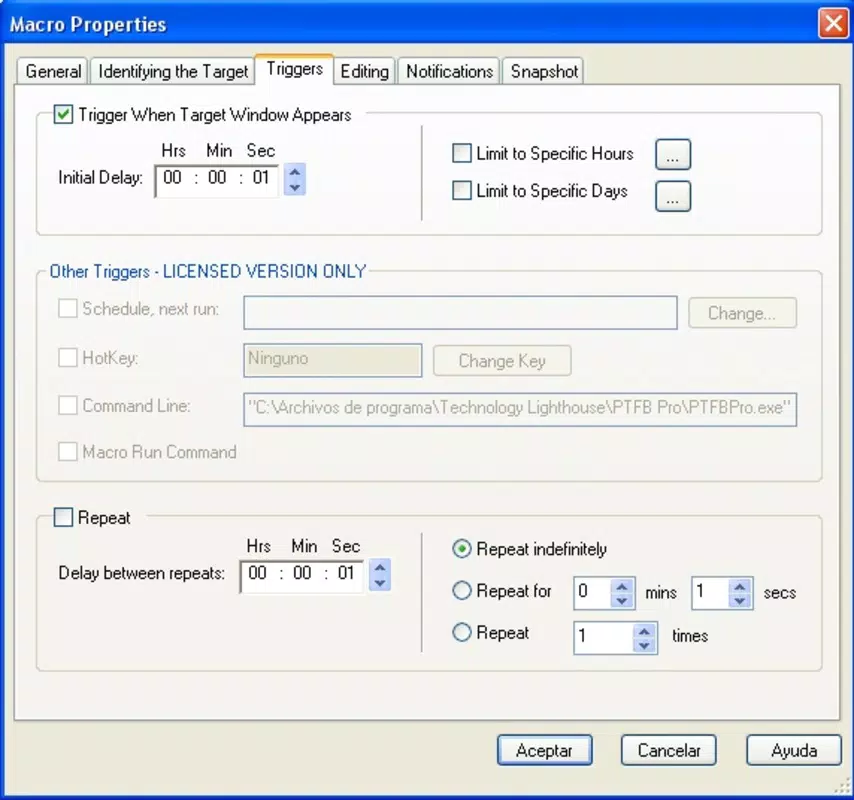
- Custom Activation Timing: PTFB Pro supports scheduling routines to run at specific times or intervals. This feature enables users to automate tasks during off-peak hours or align them with workflow cycles, enhancing overall productivity.
- Application Launch Options: The app allows users to configure routines to launch specific applications automatically. This integration ensures that the correct software is opened and the necessary actions are executed immediately, reducing manual steps and setup time.
For example, a user might record a sequence to open a reporting tool, log in, and navigate to a dashboard—then schedule it to run every morning at 8:00 AM. Another use case involves automating confirmation dialogs in software testing, where the same click pattern must be repeated across multiple test runs. These real-world applications highlight PTFB Pro’s value in streamlining daily digital routines.
Interface, UX & Performance
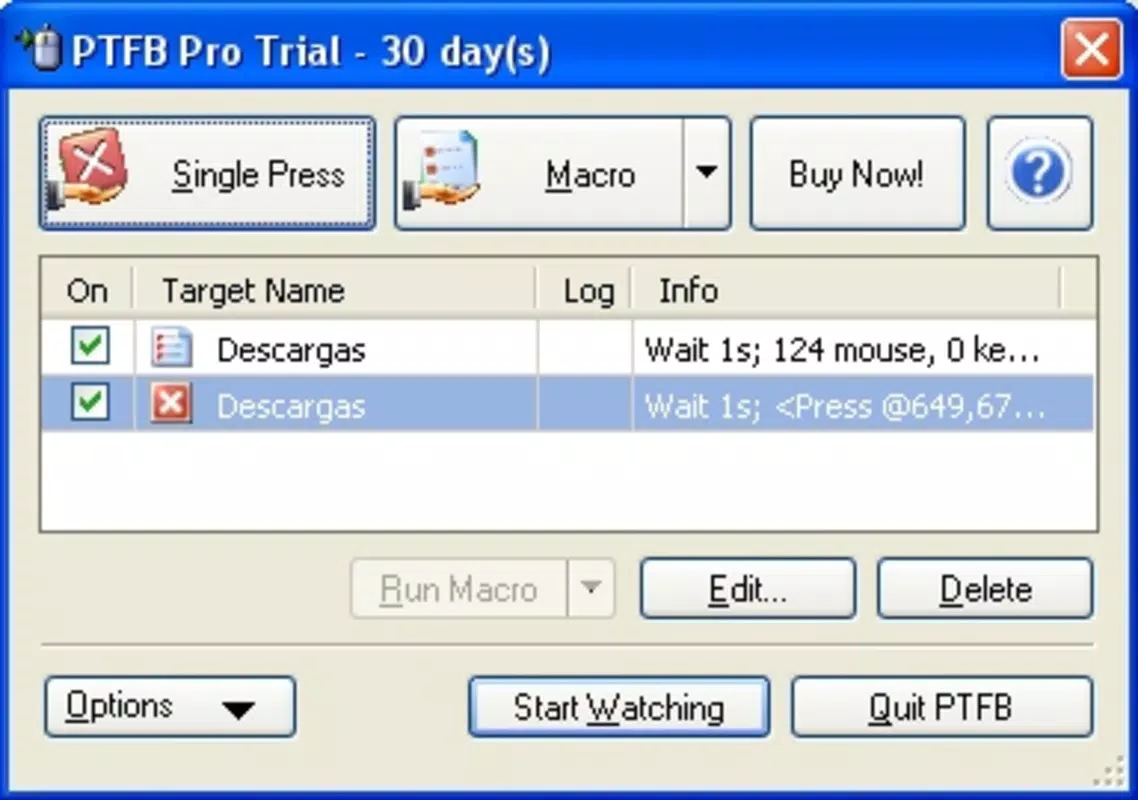
PTFB Pro features a minimalistic interface designed around core functionality. The layout is straightforward, with essential controls—record, play, schedule, and launch—accessed through a compact toolbar. Navigation is intuitive, relying on clear icons and contextual labels. The visual style is functional rather than decorative, prioritizing usability over aesthetics, which aligns with its utility-focused purpose.
Despite its age, the app maintains a responsive interface. Users can initiate recordings and playback with minimal delay, and the system remains stable during routine operations. Although the developer did not list formal performance metrics, the app’s 1.4 MB file size suggests low memory and CPU overhead. This makes it suitable for use on older Windows systems or machines with limited resources.
Stability during extended use has not been publicly documented, but the app’s long-term presence indicates consistent operation. The lack of visual feedback during recording may pose a learning curve for new users, but the simplicity of the workflow compensates for this. Overall, PTFB Pro delivers a reliable user experience tailored to its core automation tasks.
Platform Compatibility & Technical Requirements
PTFB Pro is designed exclusively for the Windows operating system. The app supports Windows platforms, though specific OS versions were not listed by the developer. The software version is 1.0.0.0, and the file size is 1.4 MB, indicating a lightweight installation.
The developer did not specify minimum OS requirements, compatibility with modern Windows versions (such as Windows 10 or 11), or hardware specifications. As such, users should exercise caution when installing on newer systems, particularly if the app relies on legacy APIs or drivers. Compatibility information was not fully disclosed, so testing on target systems is recommended.
Pros and Cons
Pros
- Lightweight design with minimal system resource usage
- Simple, intuitive interface focused on core automation tasks
- Free to download and use, with no hidden costs
- Effective for automating repetitive mouse interactions
- Supports scheduled execution and application launch integration
Cons
- No official documentation or user guides provided
- Compatibility with modern Windows versions not confirmed
- Limited visual feedback during recording process
- No support for keyboard automation or complex scripting
- Developer has not updated the app since 2009
FAQ
Is PTFB Pro safe to download and install?
Yes, the app is free and available without known malware. However, as it has not been updated since 2009, users should ensure their system has up-to-date antivirus protection before installation.
Can PTFB Pro work on Windows 10 or Windows 11?
The developer did not specify compatibility with modern Windows versions. While some users may find it functional, there is no guarantee of full operation on newer systems.
Does PTFB Pro support keyboard automation?
No, the app is designed solely for mouse click recording and playback. It does not support keyboard input automation.
How do I update PTFB Pro?
As of now, no update mechanism is available. The current version is 1.0.0.0, and the developer has not released newer versions since 2009.
Can I use PTFB Pro on multiple computers?
Yes, since the app is free and does not require licensing, it can be installed on multiple Windows devices. However, users should verify compatibility on each system.
Final Thoughts
PTFB Pro remains a niche but valuable tool for users seeking a simple, no-frills solution to automate mouse-driven tasks on Windows. Its lightweight design, ease of use, and free access make it an attractive option for those managing repetitive workflows. While its age and lack of updates raise concerns about modern compatibility, it continues to serve its intended purpose effectively for many users.
Those who rely on consistent, manual clicking—such as testers, administrators, or data entry specialists—can benefit significantly from its automation capabilities. For users requiring advanced scripting or cross-platform support, PTFB Pro may not be sufficient. However, for straightforward mouse automation, it delivers reliable performance with minimal overhead.
Download PTFB Pro now


